Back to all blogs

클로드 코워크 vs 쿠세: 2026년 실제 업무를 위한 웹 기반 클로드 AI 대안

액세스, 파일 안전, 결과물, 협업, 가격 기준과 보고서, 스프레드시트, 프레젠테이션을 위한 실제 워크플로우 등 2026년 클로드 코워크 (Claude Cowork) 와 Kuse를 비교해 보세요.

If you’ve ever wished Claude could do more than talk—like actually organize files, generate spreadsheets with formulas, draft reports from messy notes, or build a presentation deck—you’re exactly in the audience for Claude Cowork.

Claude Cowork is Anthropic’s new way to use Claude like a true agent: you set an outcome, Claude makes a plan, and it steadily executes the work for you. But because Cowork runs via the Claude Desktop app on macOS and requires a Max plan subscription, many people are already searching for a Claude AI alternative that’s easier to access, safer around local files, and better suited for sharing or collaboration.

In this guide, we’ll break down:

What Claude Cowork is (based strictly on Claude’s own description)

What Kuse is as an alternative approach

A clear side-by-side comparison across the workflows people actually care about

Real task walkthroughs using Claude Cowork’s flagship use cases—mapped to how you’d do the same work in Kuse

TL;DR: Claude Cowork vs Kuse (Quick Decision Guide)

Choose Claude Cowork if you’re on macOS, you have a Claude Max subscription, and you specifically want Claude to read/edit/create files inside a local folder on your computer.

Choose Kuse if you want a web-based Claude Cowork alternative that works across devices (Windows & Mac), doesn’t require a desktop download, keeps your work separate from local file system access, and supports sharing/collaboration and template-based deliverables.

Cowork’s core strength is agentic execution: planning, breaking work into subtasks, coordinating parallel workstreams, and completing long-running tasks.

Kuse’s core strength is deliverable-first workflows: templates + multiple output types (Excel, HTML, Doc, PDF) + multi-model flexibility (Gemini, ChatGPT, Claude), with sharing/collaboration.

What Is Claude Cowork?

Claude Cowork is a research preview released by Anthropic on January 12, 2026. It’s designed to bring the same agentic foundation used in Claude Code to “the rest of your work”—meaning non-coding tasks like document creation, research synthesis, file organization, spreadsheets, and presentations.

What makes Cowork different from a regular Claude chat?

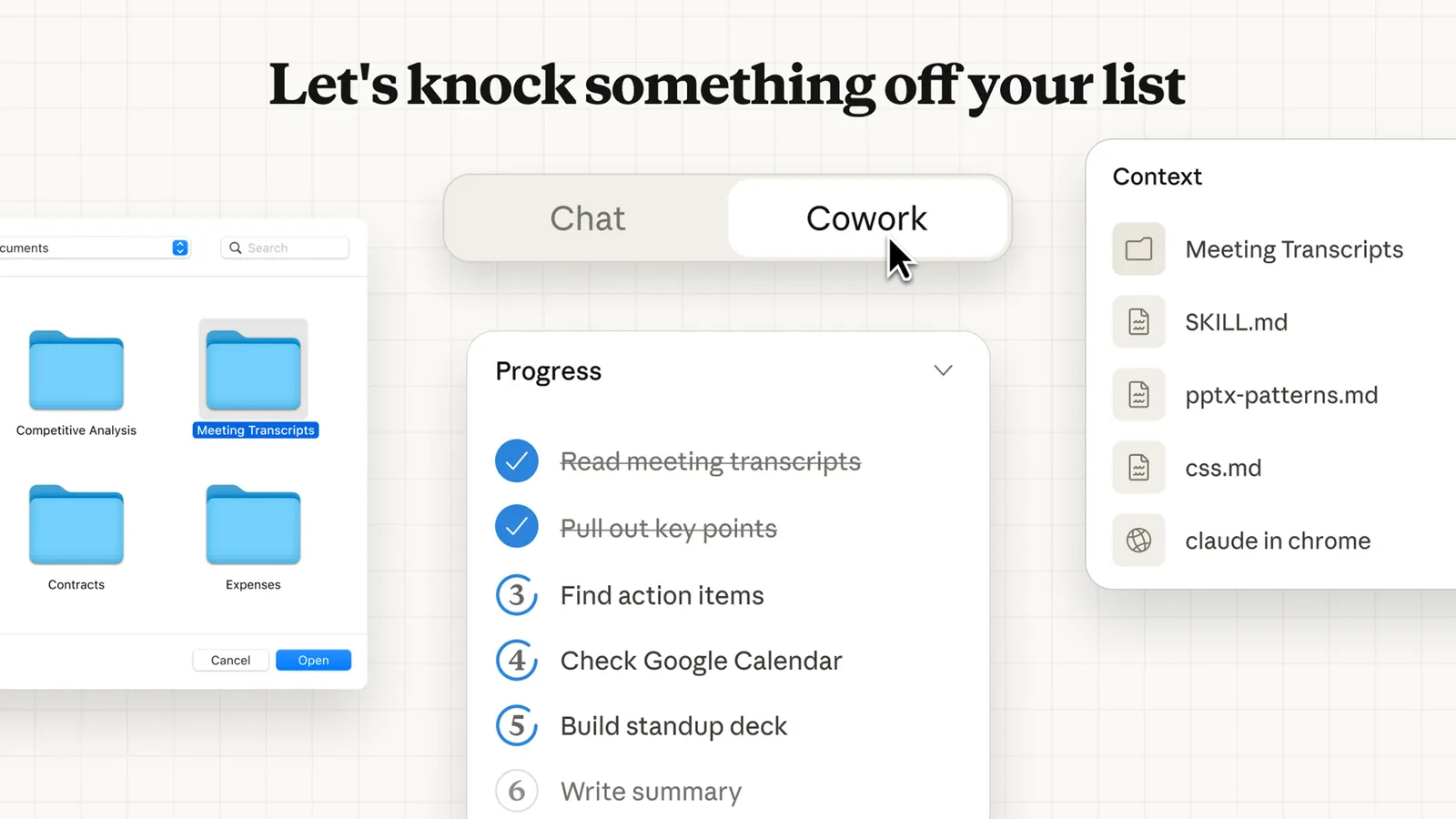
In Cowork, you give Claude access to a folder of your choosing on your computer. Claude can then:

  • Read files in that folder
  • Edit files in that folder
  • Create new files in that folder

And because Cowork is agentic, Claude doesn’t just answer one prompt at a time. Instead, once you set a task, Claude:

  • Creates a plan
  • Breaks it into subtasks
  • Coordinates parallel workstreams when appropriate
  • Works for extended periods without typical conversation interruptions
  • Delivers finished outputs directly to your file system

Cowork is currently available as a research preview for Claude Max subscribers on the Claude Desktop app for macOS. Users on other plans can join a waitlist for future access.

How Claude Cowork Runs Your Tasks (The Agentic Workflow)

Cowork runs directly on your computer and executes work in a virtual machine (VM) environment. The VM provides isolation from your main operating system, but Claude can still make real changes to the local files you grant access to.

When you start a task, Cowork generally follows this flow:

  1. Analyze your request
  2. Create a plan
  3. Break complex work into subtasks
  4. Execute work in a VM
  5. Coordinate sub-agents / parallel workstreams if appropriate
  6. Deliver outputs directly to your file system

Throughout the process, Cowork provides visibility into what Claude is planning and doing, and you can step in to steer or course-correct.

Current Limitations

Cowork is powerful, but it’s also clearly labeled as a feature preview—meaning some things are not yet available:

  • No projects support (cannot use Cowork within projects)
  • No memory across sessions
  • No chat or artifact sharing (sessions can’t be shared with others)
  • Desktop for macOS only (no web/mobile, and no cross-device sync)
  • Session persistence requirement: the Claude Desktop app must remain open; closing it ends the session

These limitations are a big reason people search for claude alternatives in this category—especially if they work across devices or need to share deliverables with a team.

What Is Kuse?

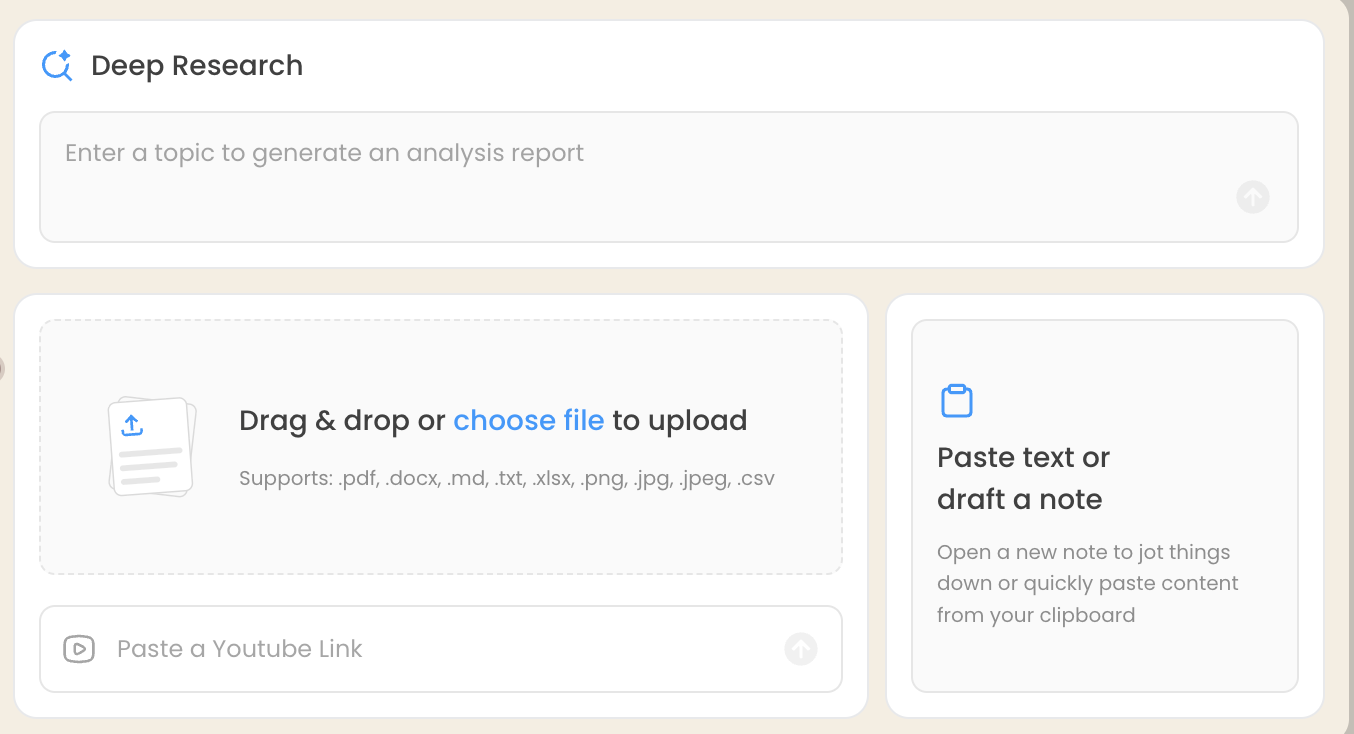
Kuse is a web-based workflow for turning your files and materials into structured outputs—without requiring a macOS desktop app or local folder access.

As a practical Claude AI alternative in this “get real work done” category, Kuse’s positioning compared to Cowork centers on:

  • Web-based access (Windows & Mac), no desktop download
  • Separation from local file system access (reduced risk of accidental local file deletion)
  • Shareable workspaces and outputs, designed for collaboration
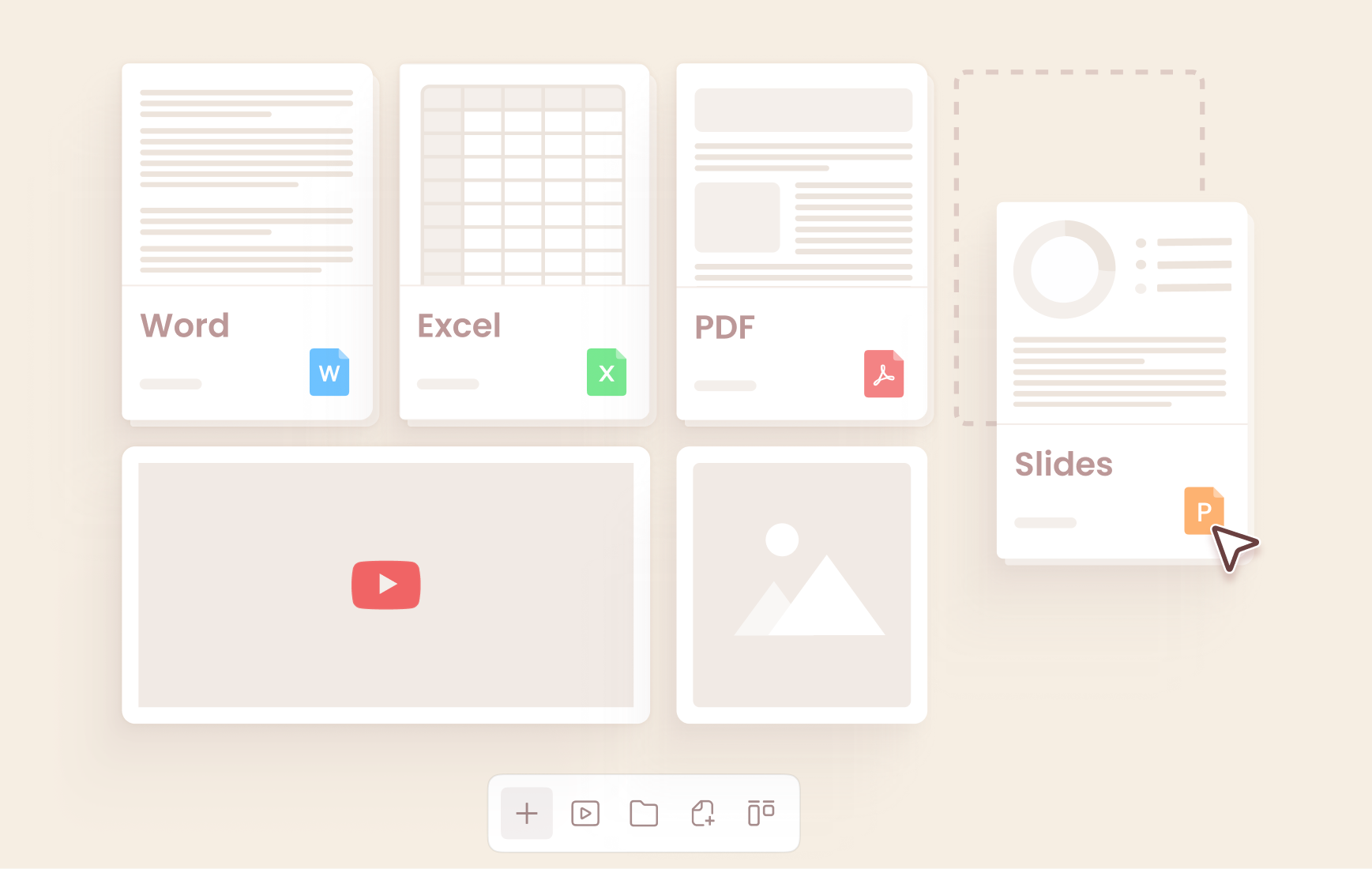
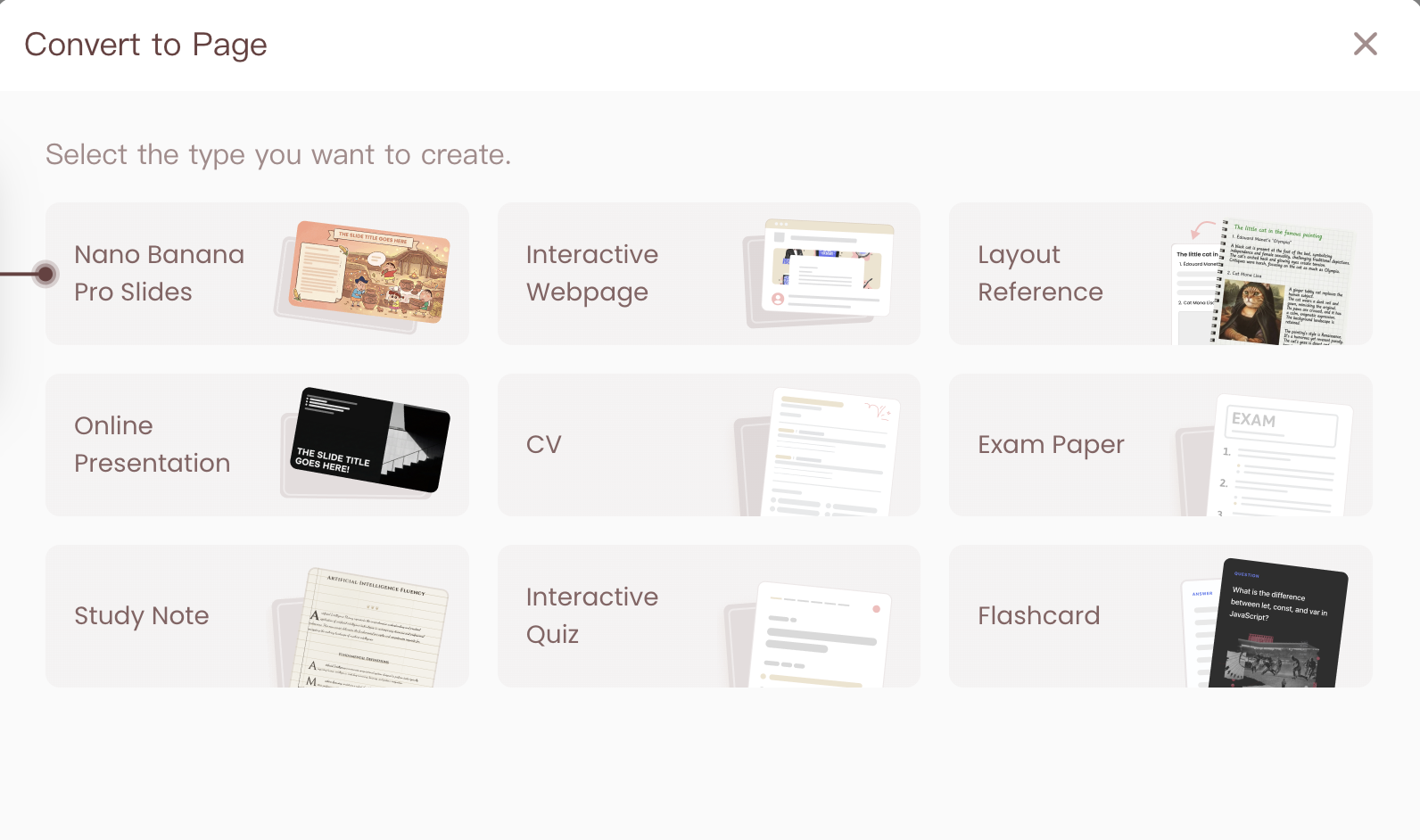
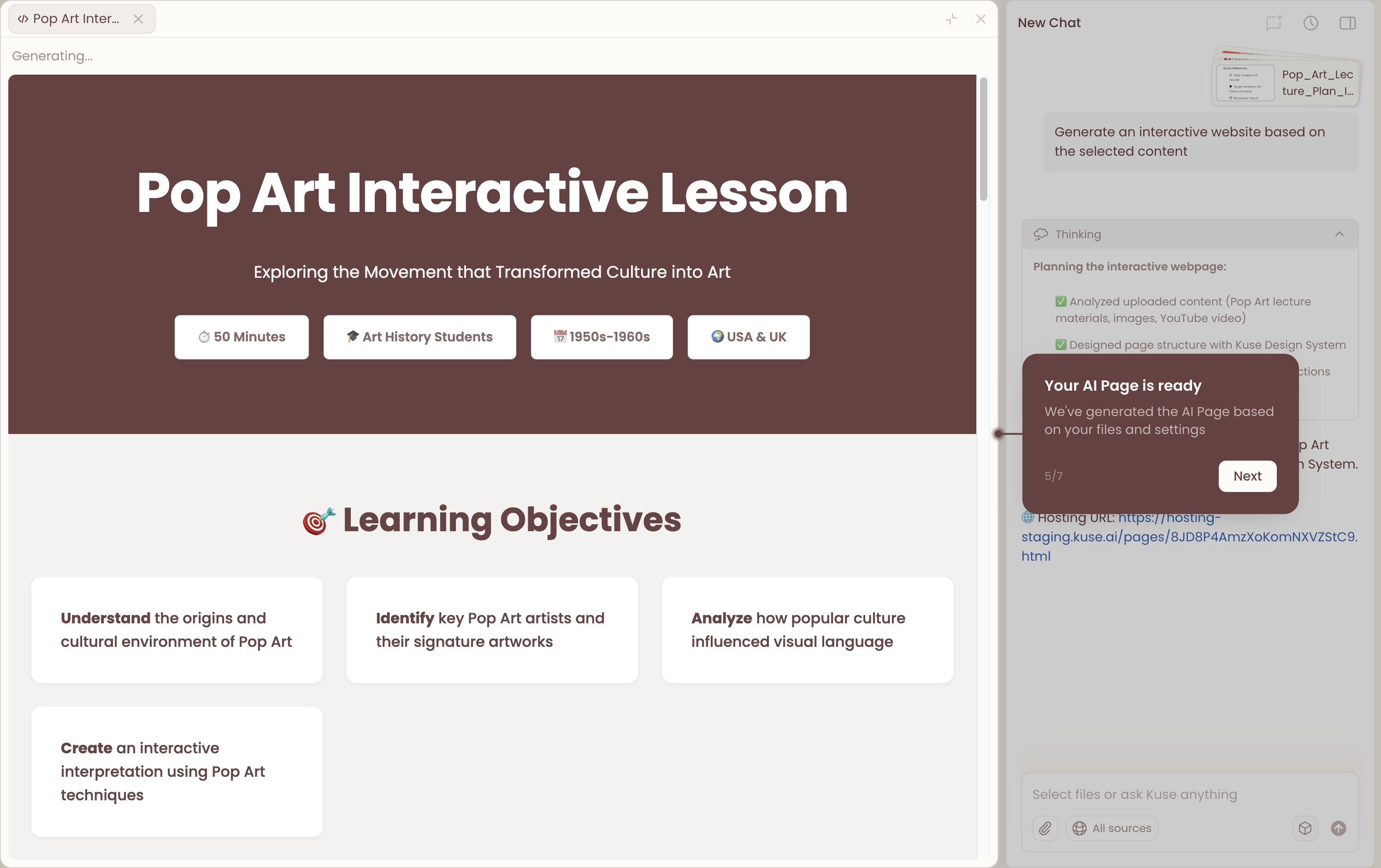
  • Multiple deliverable formats: Excel, HTML, Doc, PDF
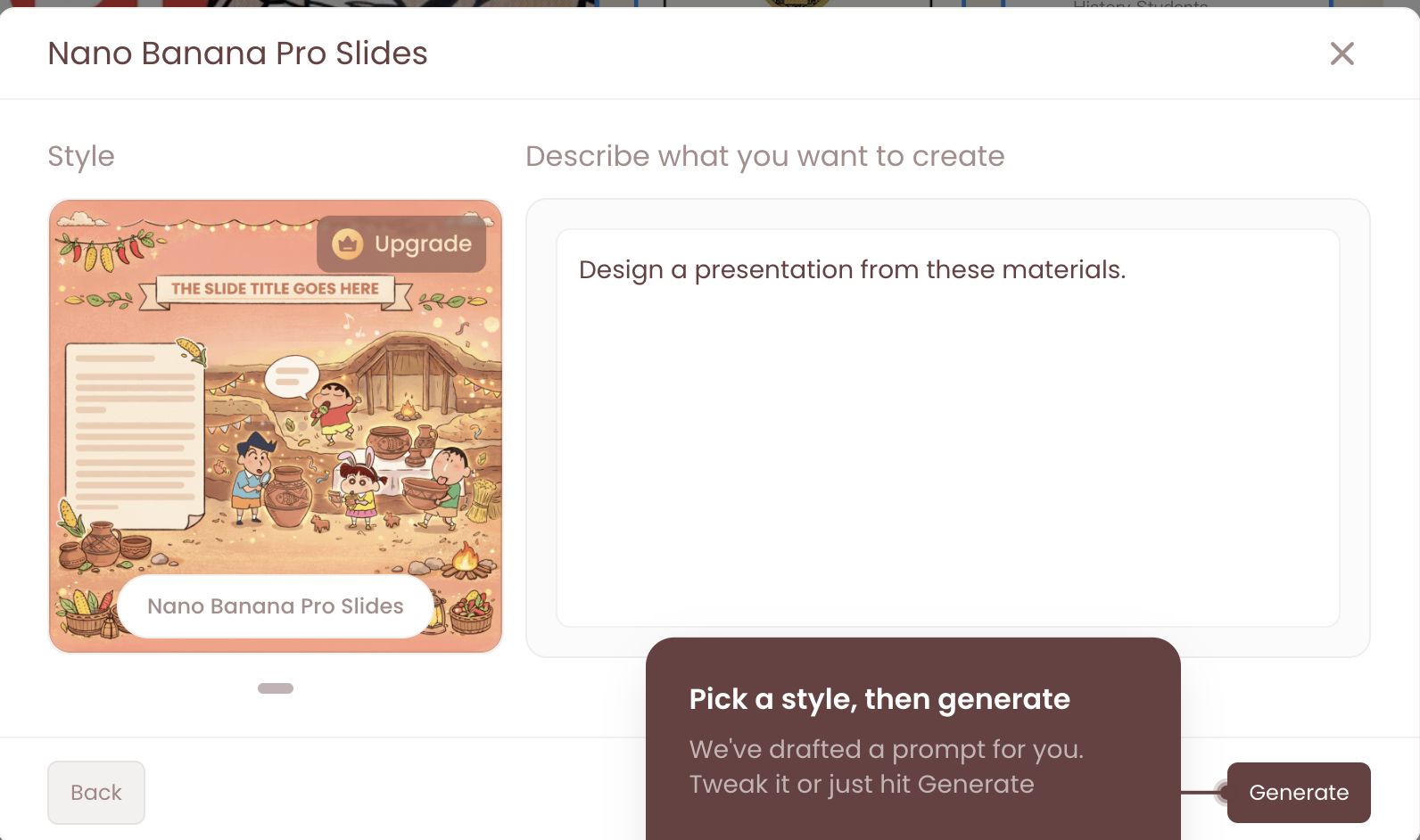
  • Templates: choose a deliverable template and generate instantly
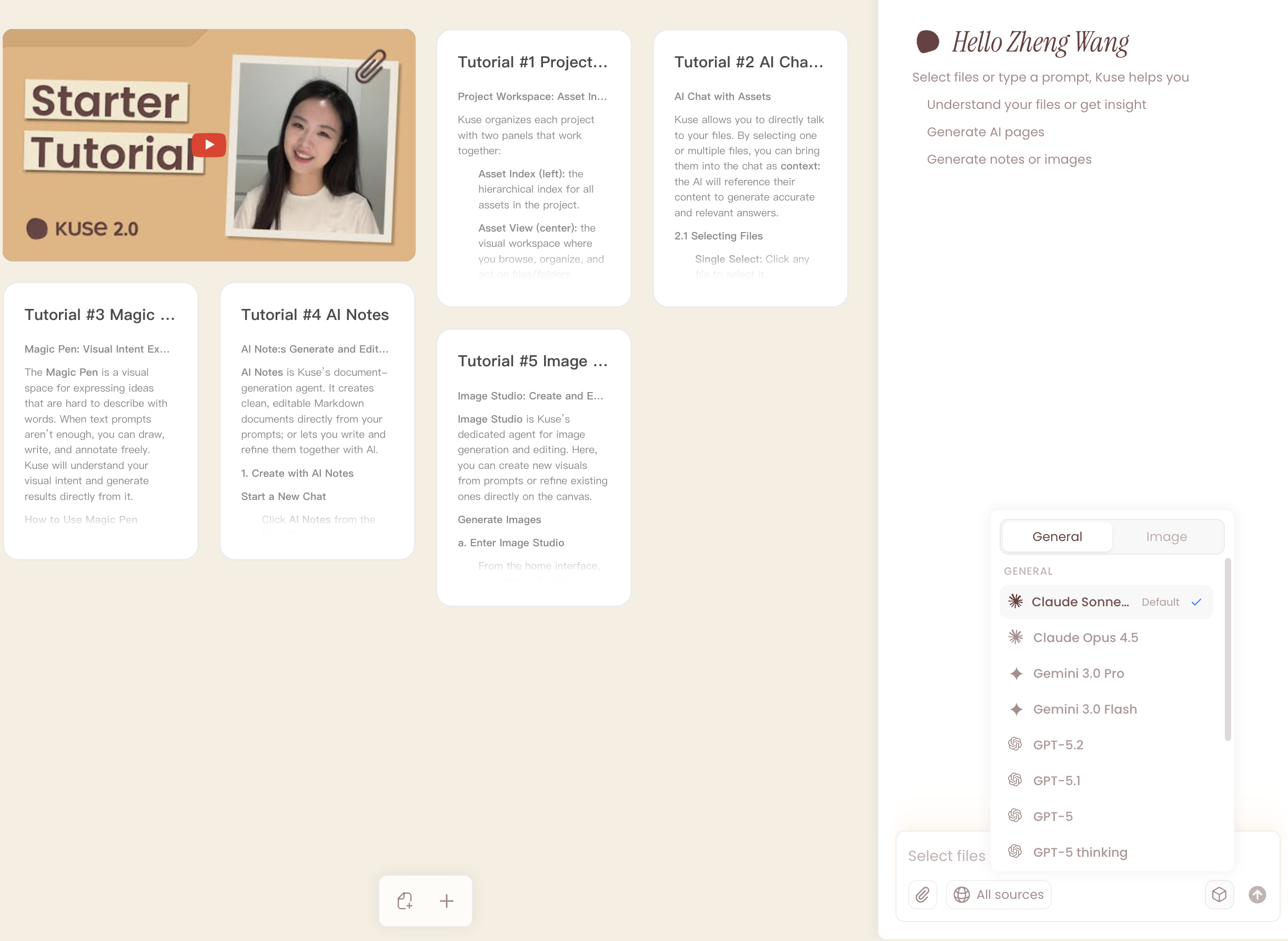
  • Multi-model support: Gemini, ChatGPT, Claude (not locked into one model)
  • A workflow that’s optimized for single-file interaction (focused work on an individual document/output)

Claude Cowork vs Kuse: Side-by-Side Comparison

1. Access & Setup: Desktop-First vs Web-First

Claude Cowork is tightly coupled to the Claude Desktop app on macOS. Accessing Cowork requires installing the desktop application, maintaining an active internet connection, and keeping the app open while tasks are running. This setup is intentional: Cowork is designed to operate close to the local file system and to run longer, agent-driven workflows without interruption.

Kuse, by contrast, is entirely web-based. There’s no installation step and no dependency on a specific operating system. You can access the same workspace from different devices, which makes it easier to switch contexts or collaborate with others who may not be using the same hardware.

This difference often determines adoption early: Cowork fits best into a single-user, macOS-centric setup, while Kuse aligns more naturally with cross-device or team-based workflows.

2. File Access Model: Local Control vs Web-Based Separation

One of the most fundamental differences lies in how each tool handles files.

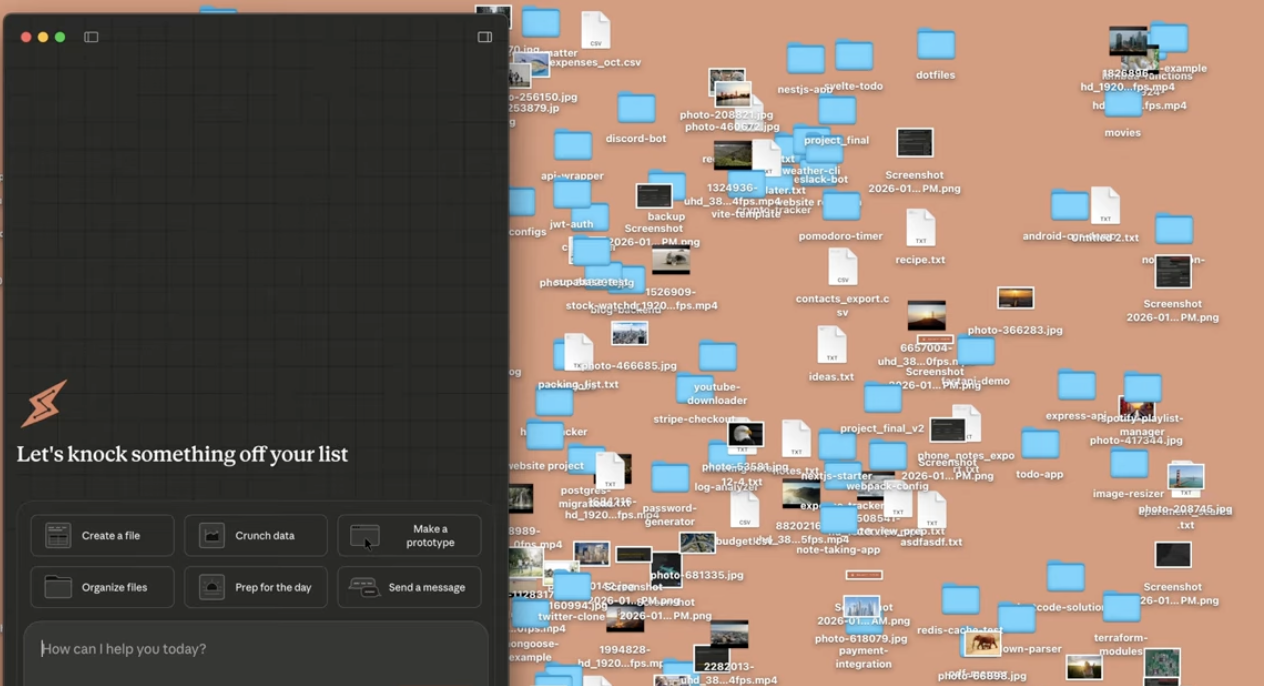
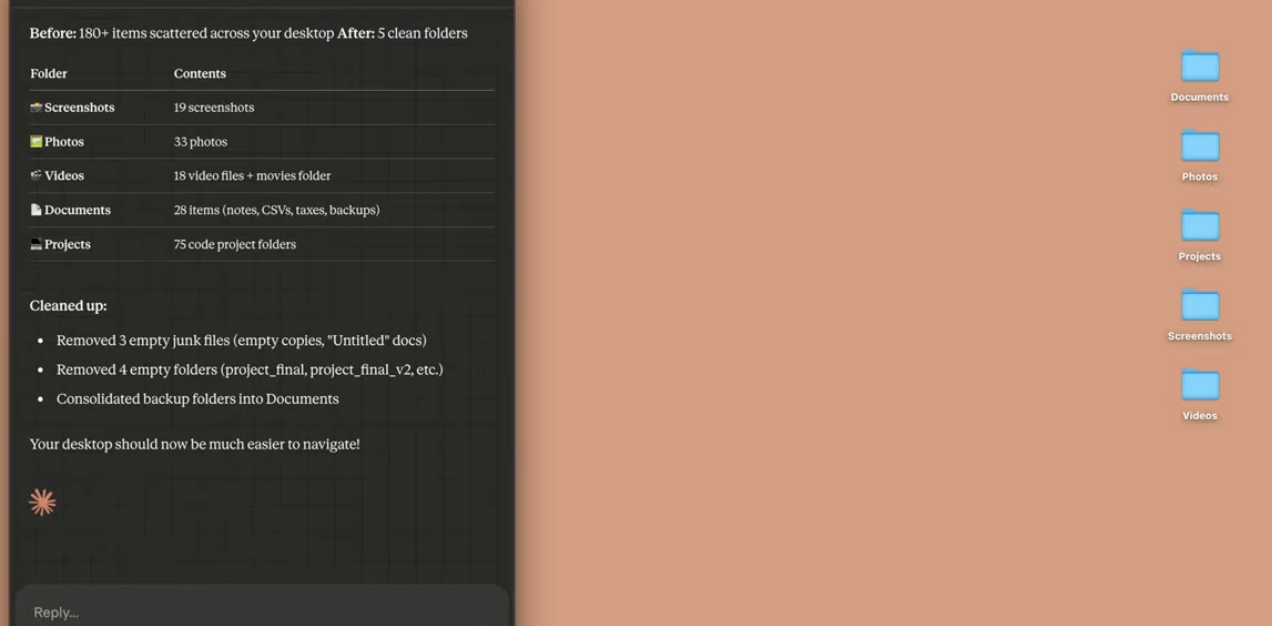
With Claude Cowork, you explicitly grant access to a local folder on your computer. Claude can read, edit, create, and—if instructed—delete files in that folder. This enables powerful workflows, but it also requires a higher degree of trust and careful instruction, since actions affect your actual file system.

Kuse operates in a web environment that is separate from your local folders. Files are uploaded or referenced intentionally, and outputs are generated within that workspace. This separation reduces the risk of unintended local file changes and makes the workflow feel safer for users who are less comfortable granting broad file access to an AI agent.

3. Execution Style: Agentic Task Runs vs Deliverable-First Workflows

Claude Cowork is built around agentic execution. Once you define a task, Claude plans how to complete it, breaks it into subtasks, and executes those steps—sometimes in parallel—until the job is done. This makes Cowork particularly strong for complex, multi-step processes that benefit from sustained execution over time.

Kuse, on the other hand, is organized around deliverables rather than long-running task execution. You start by choosing what you want to produce—such as a spreadsheet or report—and Kuse structures the generation process around that output. The emphasis is on clarity, formatting, and readiness for sharing, rather than on autonomous task execution inside a folder.

4. Outputs and Formats

Claude Cowork’s official examples highlight its ability to generate professional outputs, including Excel spreadsheets with working formulas, formatted documents, and presentation decks. These files are created directly inside your local file system as part of the task execution.

Kuse supports a broader range of explicitly defined output formats—Excel, HTML, Doc, and PDF—and pairs those formats with templates. This makes it easier to generate outputs that are already structured for a specific purpose, rather than refining raw outputs after the fact.

5. Collaboration and Sharing

At present, Claude Cowork sessions are not shareable. Work happens within a single desktop session, with no built-in way to hand off tasks, share artifacts, or collaborate in real time.

Kuse is designed with sharing in mind. Workspaces and outputs can be shared with others, making it easier to collaborate on documents, review generated results, or align on deliverables across a team.

For teams, this difference often outweighs execution style when choosing a Claude alternative.

6. Model Flexibility

Claude Cowork runs exclusively on Claude models, which is ideal if you’re already committed to that ecosystem.

Kuse supports multiple models—including Claude, GPT, and Gemini—allowing users to choose different models depending on the task, writing style, or output requirements.

Workflow Walkthroughs: Flagship Use Cases

To keep this comparison concrete, here are the exact types of tasks Claude lists as Cowork examples—paired with how you’d approach them in Kuse (without adding unconfirmed product details).

Walkthrough 1: “Scattered Notes” → First Draft of a Report

In Claude Cowork

Claude explicitly describes Cowork producing a first draft of a report from scattered notes inside a folder:

Grant folder access

Provide the report goal / outcome

Cowork plans the steps and produces the draft as a file in your system

In Kuse

Kuse approaches this as an output-generation workflow:

Upload or reference your notes

Choose a report/document template and output type (Doc/PDF)

Generate a formatted draft

Share or iterate on the deliverable collaboratively

Walkthrough 2: Rough Notes / Meeting Transcript → Presentation Deck

In Claude Cowork

Cowork is designed to create slide decks from rough notes or meeting transcripts. It can run longer tasks and coordinate subtasks when appropriate.

In Kuse

Kuse에서 해당하는 경로는 다음과 같습니다.

성적표/메모 업로드 또는 참조

프레젠테이션 결과물 템플릿 선택

구조화된 출력 생성

덱 내보내기/공유

Cowork가 에이전트 실행을 강조하는 반면 Kuse는 “템플릿+결과물+공유성”을 강조합니다.

연습 3: 데이터 파일 → 분석, 변환, 차트

클로드 코워크에서

Cowork의 예제 사용 사례는 다음과 같습니다.

통계 분석 (이상치, 교차표, 시계열)

데이터 시각화

데이터 변환 (데이터세트 정리 및 처리)

쿠세에서는

Kuse는 여러 형식 (Excel 포함) 의 구조화된 출력을 지원하며 워크플로를 웹 기반으로 공유하고 공유가 가능하도록 유지하면서 데이터 기반 결과물도 지원할 수 있습니다.

세부 기능 비교표 (퀵 스캔)

Claude Cowork vs. Kuse
Category Claude Cowork Kuse
Access Claude Desktop app (macOS) Web-based (Windows & Mac)
Plan availability Research preview for Max subscribers More accessible alternative approach
Local file access Yes (folder-level read/edit/create) No direct local file access (web-based separation)
Execution model Agentic planning + subtasks + parallel workstreams Template-based deliverables + multi-model
Long-running tasks Yes Yes (deliverable workflows)
Outputs mentioned Excel w/ formulas, presentations, formatted docs Excel, HTML, Doc, PDF
Templates Initial set of skills for docs/presentations Templates for multiple deliverables
Collaboration & sharing Not supported (no session sharing) Sharing/collaboration supported
Cross-device sync Not yet Web-based access across devices
Safety considerations Potential destructive actions; prompt injection risk Reduced risk of local-file destructive actions

어떤 도구를 선택해야 할까요?

다음과 같은 경우 클로드 코워크를 선택하세요.

로컬 파일에서 복잡한 작업을 실행할 AI 에이전트가 필요합니다.

macOS를 사용하고 있으며 데스크톱 전용 워크플로에 익숙합니다.

에이전시 계획과 장기 실행을 중요하게 생각합니다.

다음과 같은 경우 Kuse를 선택하십시오.

웹 기반 클로드 코워크 대안을 원하시나요?

구조화된 결과물과 템플릿이 필요합니다

공동 작업 및 공유의 중요성

AI 워크플로를 로컬 파일 시스템에서 분리하는 것을 선호합니다.

파이널 테이크

클로드 코워크는 폴더 액세스, 장기 실행, VM 기반 작업 실행, 병렬 처리된 하위 작업 등 실제 작업을 위한 에이전트 AI를 향한 의미 있는 단계로 macOS용 Claude Desktop에서 제공됩니다.

그러나 워크플로우가 웹 액세스, 장치 간 유연성, 로컬 파일과의 안전한 분리, 공유/협업, 템플릿 및 다중 출력 형식을 우선시한다면 Kuse는 2026년의 강력한 Claude Cowork 대안으로, 특히 팀과 결과물 중심 작업에 적합합니다.
More Blogs