AI Coworker vs AI Assistant: What's the Real Difference?
Understand the real difference between an AI assistant and an AI coworker, from memory and ownership to workflows and deliverables.

AI assistant vs AI coworker: the core difference
An AI assistant helps when you ask. An AI coworker keeps track of work, understands context, and produces deliverables that move a process forward. That difference sounds subtle, but it changes how teams use AI.
The assistant model is conversational. It answers, drafts, summarizes, and suggests. The coworker model is operational. It remembers, organizes, follows up, and keeps working across tasks.
The easiest way to tell them apart is ownership. If the AI waits for a prompt and returns a response, it is acting like an assistant. If the AI can carry context across files, keep outputs organized, and help a recurring process move from start to finish, it is closer to an AI coworker.
This matters because most teams do not need another place to chat. They need a way to reduce coordination work, preserve context, and turn repeated requests into reusable systems. That is where the AI coworker category becomes useful.
This article explains the real difference so you can decide what your team actually needs.

Comparison table: AI assistant vs AI coworker

Why the difference matters
Most teams do not fail with AI because the model cannot write. They fail because the work disappears after the chat. Someone still has to remember the context, copy the result, store the file, update the next step, and repeat the same process next week.
An AI coworker is designed around continuity. It needs a memory layer, a workspace for outputs, and a way to connect recurring work. That is why the category matters.
When an AI assistant is enough
Use an AI assistant when the task is one-off, low-stakes, and does not need long-term context. Examples include rewriting a paragraph, generating ideas, summarizing a pasted article, or asking a quick question.
When you need an AI coworker
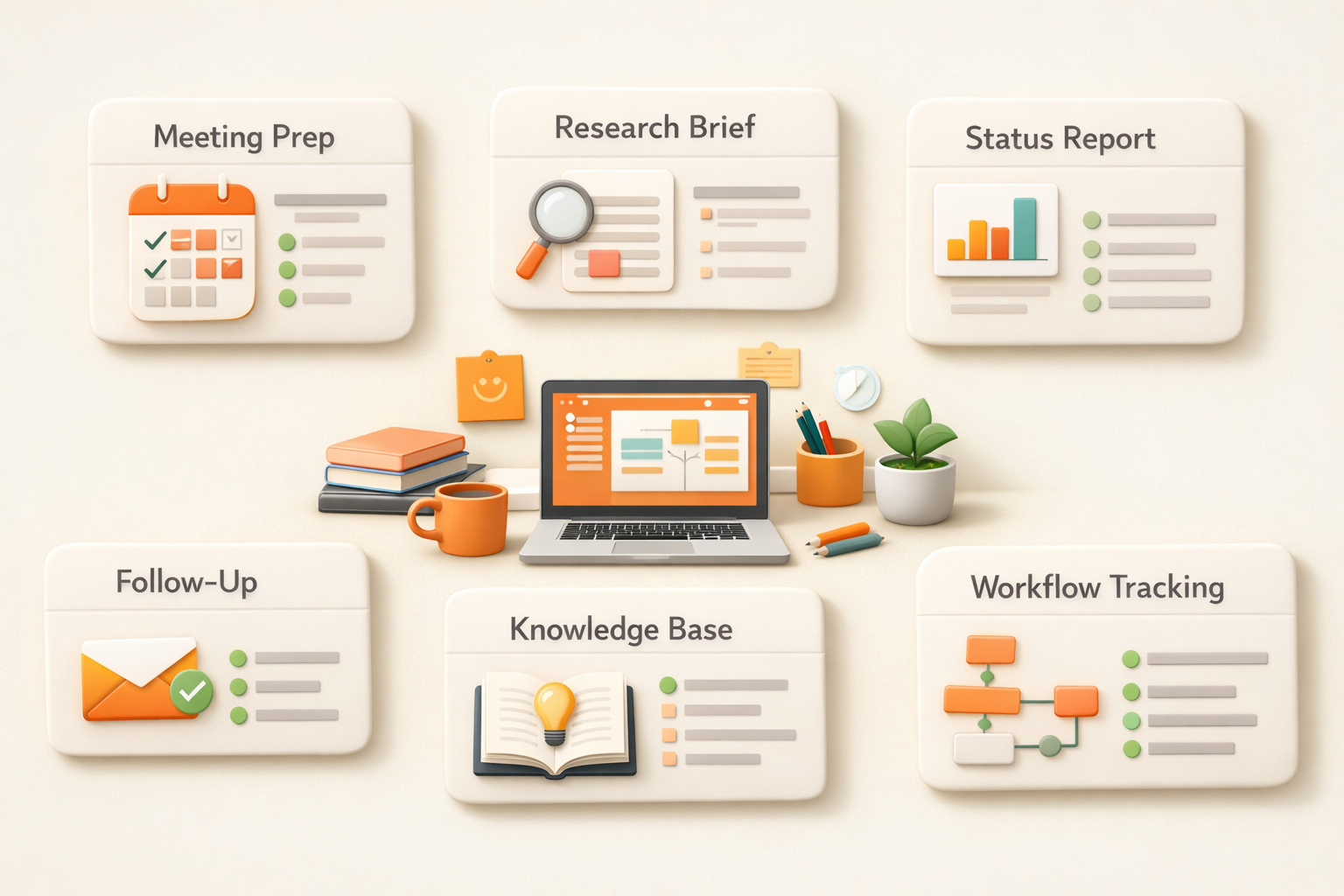
You need an AI coworker when the task repeats, touches multiple sources, or creates an output that the team will keep using. Examples include weekly reporting, meeting prep, customer follow-up, knowledge management, and sales research.
How Kuse approaches AI coworker work
Kuse gives your AI coworker a workspace. It can remember files, create deliverables, and run AI workflows that keep producing structured outputs. The goal is not to chat more. The goal is to get real work done and saved where the team can use it.
For the broader category, read AI Coworker: What It Is, How It Works, and Why It Matters.
Why AI assistants became the default
AI assistants became popular because they are easy to understand. You open a chat box, ask a question, and get an answer. For individual work, that is already useful. It makes writing faster, helps with brainstorming, and gives people a quick way to explore information without starting from a blank page.
But the same simplicity becomes a limitation inside real work. Work rarely starts and ends with one answer. A sales follow-up depends on account history. A weekly report depends on updates across projects. A product decision depends on previous discussions, customer feedback, and current priorities. If the AI cannot keep that context organized, the human still has to do the coordination work.
This is why many teams feel they are using AI every day but not actually changing how work gets done. The assistant is helpful, but the process still belongs to the human.
What makes an AI coworker different in practice
An AI coworker is not just a more powerful chatbot. The important shift is that the AI is connected to a workspace and can keep useful state over time. It can remember the files that matter, produce outputs in repeatable formats, and support a workflow that continues after the first message.
For example, an assistant can draft a customer email if you paste the context. An AI coworker should know where the customer notes live, read the latest status, draft the email, save the output, and make the next follow-up easier. An assistant can summarize a meeting transcript. An AI coworker should connect that summary to decisions, action items, related docs, and future prep work.
The difference is not whether the model sounds smart. The difference is whether the AI reduces the amount of context assembly, formatting, filing, and follow-up that people normally do around the answer.
Real work examples
Sales: An assistant can write a follow-up email. An AI coworker can prepare the account brief, draft the email, remember past objections, and keep the deal notes organized for the next call.
Marketing: An assistant can rewrite a blog post into a social post. An AI coworker can turn one asset into a campaign pack, keep the source material attached, and save all versions where the team can reuse them.
Operations: An assistant can explain a process. An AI coworker can monitor the process, flag missing updates, maintain a tracker, and produce a weekly summary.
Product: An assistant can summarize feedback. An AI coworker can keep feedback connected to decisions, specs, customer context, and follow-up tasks.

How to decide which one your team needs
Choose an AI assistant when the job is one-off, mostly text-based, and does not need memory. Choose an AI coworker when the job repeats, depends on multiple sources, or creates an output that needs to be saved and reused.
A simple test is to ask: if a person left the team tomorrow, would the AI still have enough context to help continue the work? If the answer is no, you probably need more than an assistant. You need a workspace, memory, and a workflow layer around the model.
That is the direction Kuse is built for. Kuse is not trying to make people chat with AI more often. It is trying to make AI responsible for more of the work around the chat: collecting context, creating deliverables, saving outputs, and helping repeated work run again.
FAQ
What is an AI coworker?
An AI coworker is an AI system that can remember context, work across tasks, and produce deliverables instead of only answering questions in chat.
Is an AI coworker the same as an AI assistant?
No. An assistant usually responds to prompts. A coworker is designed for continuity, ownership, and reusable work outputs.
Do I still need to review AI coworker output?
Yes. The best model is human review with AI execution. The AI coworker handles busywork and drafts, while people approve decisions and final outputs.
What makes Kuse different?
Kuse combines workspace memory, content creation, and AI workflow automation so work does not disappear after one conversation.
Start working with your AI coworker
Kuse turns recurring work into an AI workflow with memory, connected tools, and reusable outputs. Try Kuse for free and build a workflow that keeps working after the chat ends.